
How to Play Drink the Ocean
Start at the shore, drink through your straw, and take the water back to the press to make salt. Use the salt at the shop, then return to the shoreline. Watch the belly meter to decide when to turn back and the Ocean Drunk meter to track your progress.
1. Launch the browser game
Open the game player, select Play now, and follow the prompt inside Playgama. Click inside the game if your keyboard is still controlling the page. On a phone, rotate to landscape if the view feels cramped.
2. Fill your belly at the shore
Walk to the water and point the center of the screen at it. On desktop, left-click to drink. If the belly meter stays still, move closer, aim down at the water, and check whether the meter is already full. The controls guide covers movement and touch input.
3. Follow the arrow to the press
When the belly meter is full, follow the press marker. The distance by the marker should decrease as you approach. Stand under the press and watch the belly meter empty and the salt total increase before heading to the blue shop pad.
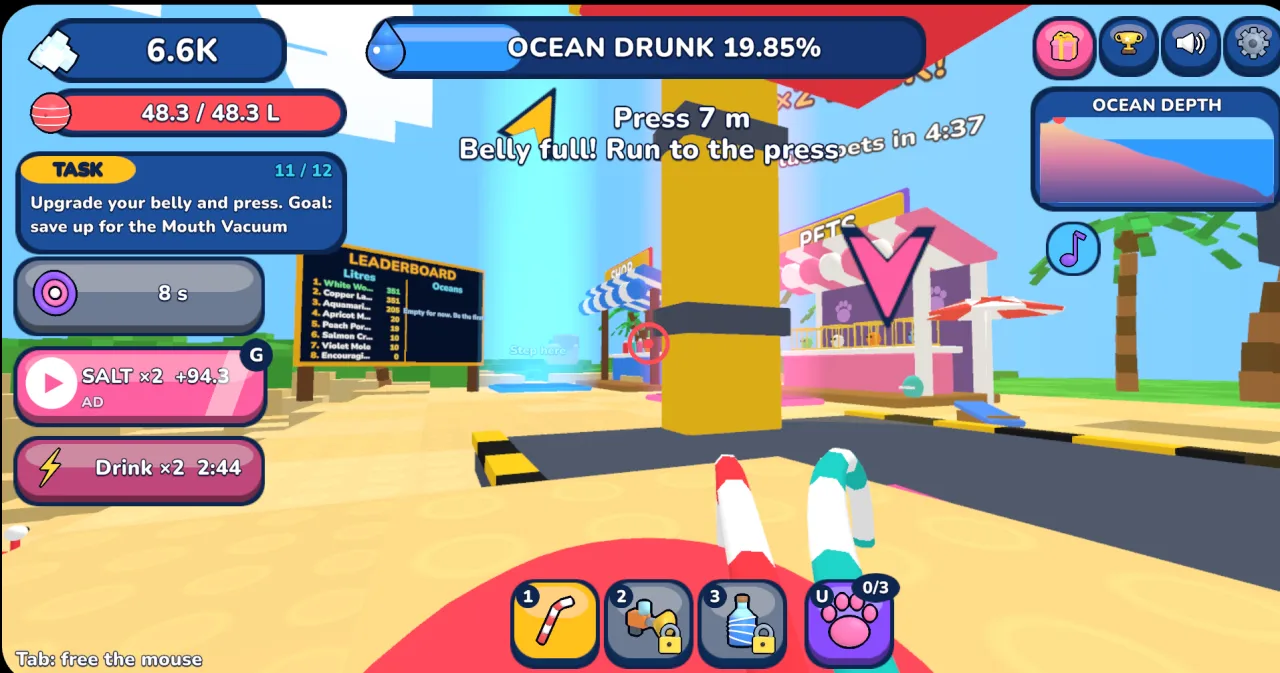
4. Spend salt and repeat the trip
Visit the shop and inspect the available upgrades. If you filled up quickly but spent most of the trip walking, compare the belly upgrade first. If filling took most of your time, look at the drinking tools. The upgrade guide explains how to make that choice and when to consider the press.
5. Follow the retreating water
As the water recedes, walk to the new shoreline before trying to drink again. Use Ocean Drunk to check overall progress and the belly meter to check the current trip. If the latter is full, head to the press even when the overall progress meter still has a long way to go. Playgama describes an ocean-floor plug that opens the next round once you reach it.
The Playgama listing documents the drink, press, and shop loop. The game image above is described in our source notes.
Play Drink the Ocean